Futures Trading Journal for NinjaTrader 8 Traders
A futures trading journal has to handle what stock journals ignore: partial fills, scaled exits, overnight sessions and a trading day that starts at 5 p.m. Chicago time.
Kaizen Trading Journal is a free Windows app for NinjaTrader 8. It imports every fill, scores each trade on execution and keeps count of the daily limits you set.
Free journal at launch. Early access for the waitlist.
Windows desktop app. Your trades stay on your computer. No spam, unsubscribe anytime.
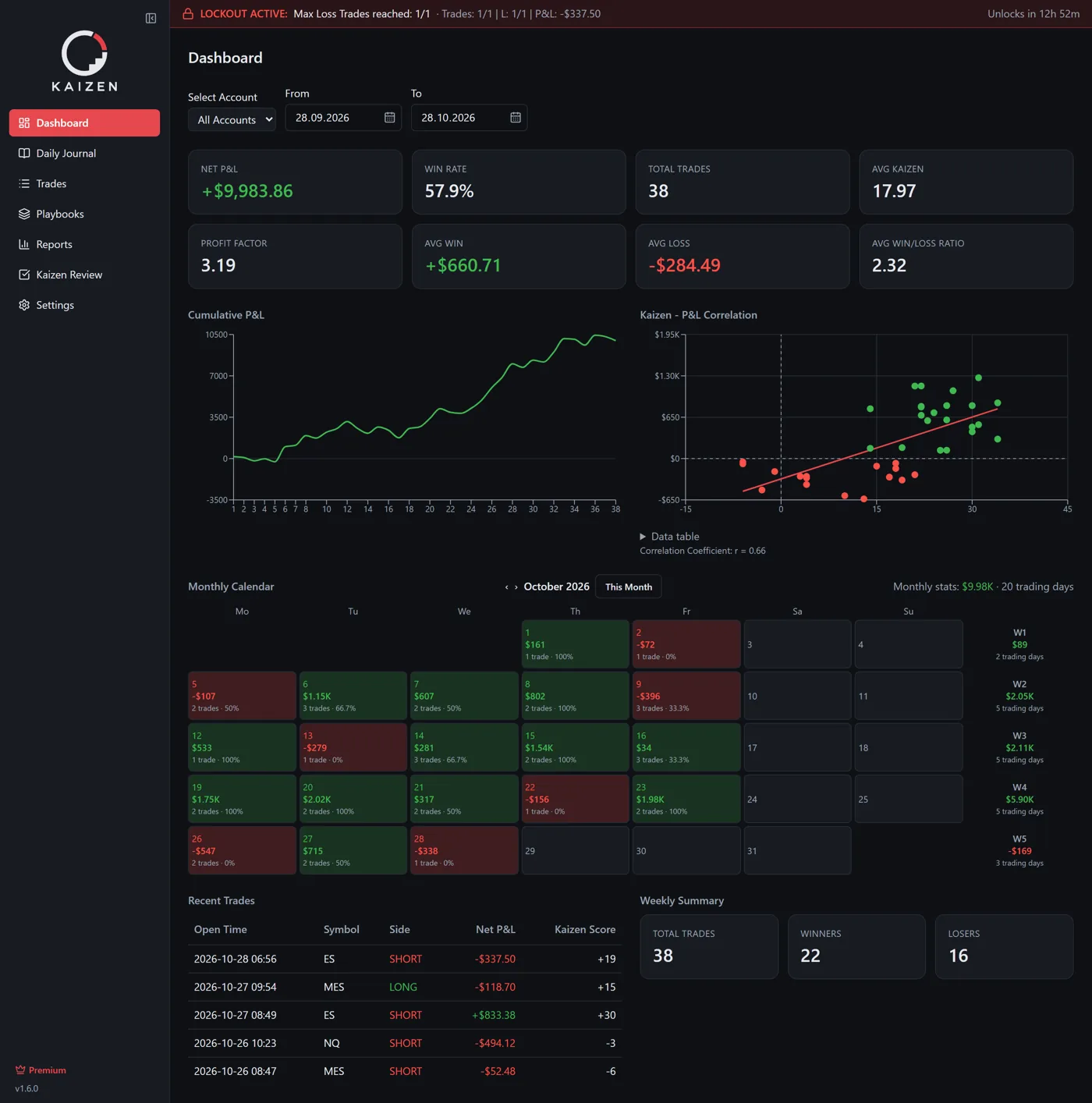
Fills from NinjaTrader 8 arrive on their own
A small add-on writes every execution the moment it fills. The journal groups the executions into complete trades with symbol, account, average prices and commissions.
There is no CSV export from the Trade Performance window and no copy and paste.
Built around the futures trading day, not the calendar day
The journal's trading day runs from 5 a.m. to 5 a.m. on your PC's local time. Daily rules count every trade of that trading day.
- Contracts such as ES, NQ, MES, MNQ, CL and GC are recorded by symbol, with P&L from each contract’s point value.
- Partial fills and scaled exits stay one trade.
A review after every trade, scored on execution, not on dollars
With the discipline module switched on, a full-screen review window opens when a trade closes. You pick the playbook, answer its criteria with yes, no or partial, and the journal calculates a Kaizen score.
A review timer, 15 minutes by default, keeps you with the last trade before you look for the next one.
Daily limits you set while calm
In Free, a banner warns you when a limit is reached. In Premium, the journal blocks new orders in NinjaTrader 8 until the next trading day and can close open positions. A limit is a trigger, not a guaranteed maximum loss.
- Max trades per day
- Max losing trades
- Daily loss limit
- Daily profit limit
Free, local, Windows
Trades, reviews and notes stay in a local database on your PC, and you can export them to CSV at any time. It replaces the spreadsheet template that only works on the days you fill it in.
Free covers import, dashboard, calendar, reviews and two playbooks for one visible account. Premium adds the hard lockout, all accounts, screenshots and advanced reports. Premium pricing is announced at launch; new users get 14 days of Premium without a credit card.
Futures trading journal FAQ
Does it work with Tradovate or Rithmic accounts? +
Yes, as long as you trade the account in NinjaTrader 8. The journal reads the fills from the platform, not from the broker.
Can I journal micro contracts? +
Yes. Micro contracts such as MES, MNQ, MYM, M2K, MCL and MGC have their point values built in. For contracts outside the built-in list, check the P&L before you rely on it.
Is there a Mac version? +
No. NinjaTrader 8 runs on Windows, and so does the journal.
Get the free trading journal first
Free journal at launch. Early access for the waitlist.
Trading futures involves substantial risk of loss and is not suitable for every investor. The Kaizen Trading Journal is a record-keeping and self-discipline tool. It does not provide trading signals or investment advice and does not guarantee any trading result.