KaizenSuperTrend
KaizenSuperTrend is an ATR-based trend-following line: it offsets the bar median by a multiple of ATR and flips direction when price crosses the band. Settings guide.
Updated: July 1, 2026
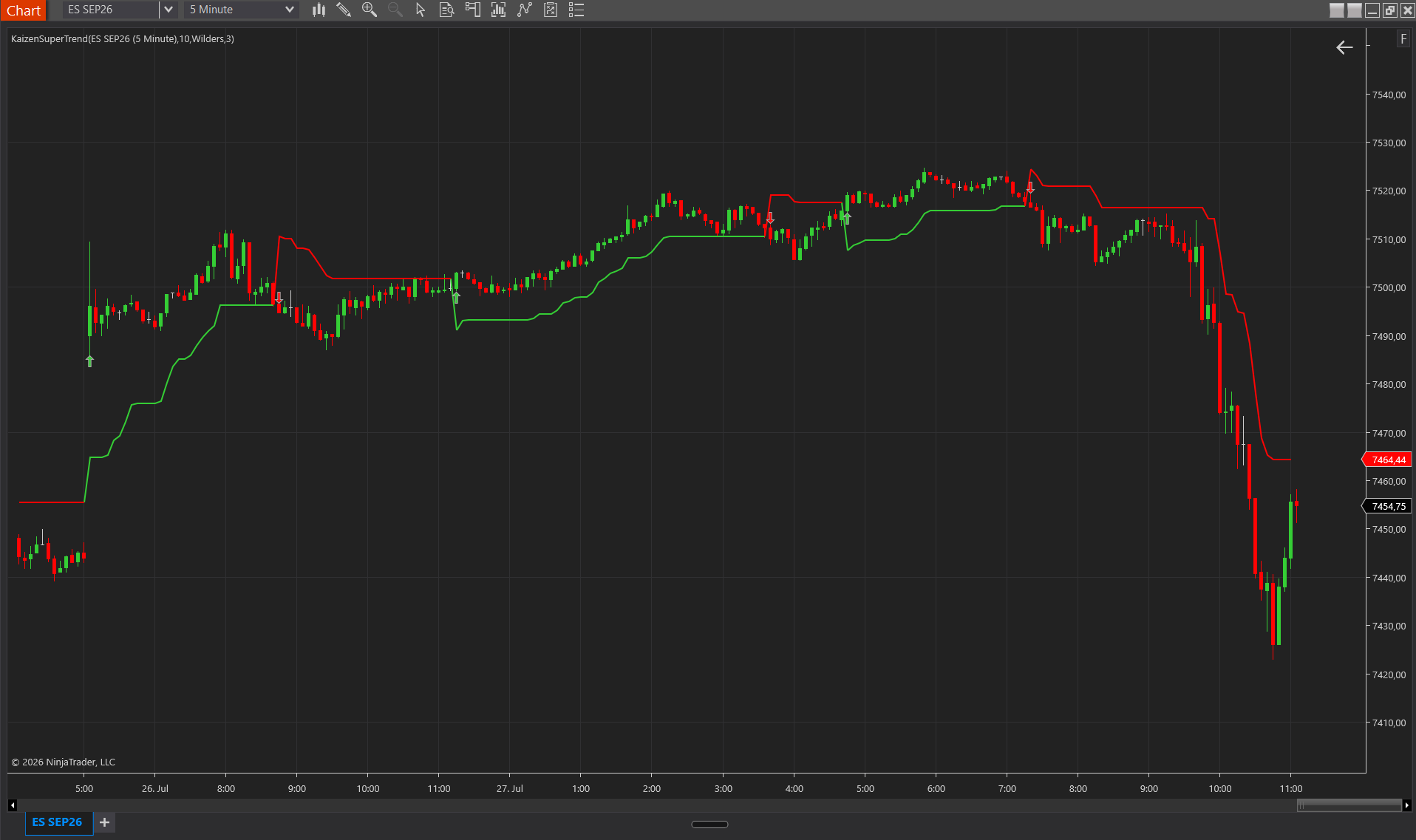
KaizenSuperTrend is an ATR-based trend-following line. The engine takes the median of each bar’s high-low range, offsets it by a multiple of ATR, and maintains an upper and lower band that follows price. The bands “lock in” the prior extremes: once tightened, they only loosen when price reverses. A trend flip fires when the close crosses the opposite band, producing a colored arrow.
Interpretation
- Green line below price = uptrend; the line acts as a trailing stop or dynamic support.
- Red line above price = downtrend; the line acts as a trailing stop or resistance.
- Narrow bands (low ATR) = quiet market, tight stops. Wide bands = volatile market, more room required.
- An arrow flip = the real trade signal; a new trend has been confirmed.
- The flip condition is close-through, not wick-through: it prevents single-tick whipsaws on range bars.
Settings
Settings
- ATR Period — bars used to compute the ATR. Default 10. Higher (20) smooths volatility spikes but delays reversals; lower (5) reacts faster at the cost of whipsaws.
- Multiplier — scales the ATR to set the band width. BandWidth = Multiplier × ATR. Default 3.0. 1.5–2.5 = aggressive (tight stops, more signals); 3.5–5.0 = conservative (wide stops, fewer whipsaws).
- ATR Smoothing — Wilder’s (default, slower, the original definition), SMA (standard arithmetic mean) or EMA (reactive but jittery in chop).
- Show Signals — renders arrow markers at trend flips. On by default. Turn it off if you only use the line as a strategy reference.
Colors
- Uptrend Color / Downtrend Color — independent colors for the active band.
Don't own it yet?
Lifetime license, no subscription.