KaizenDeltaProfile
KaizenDeltaProfile draws a delta-by-price histogram beside the bars in session, composite and swing modes, revealing at which prices buyers or sellers were really in control.
Updated: August 1, 2026
KaizenDeltaProfile draws a histogram of the delta (aggressive buying volume minus aggressive selling volume) per price level, next to the bars. Where the volume profile tells you how much traded at each level, the delta profile tells you who was in control — buyers or sellers — at each price.
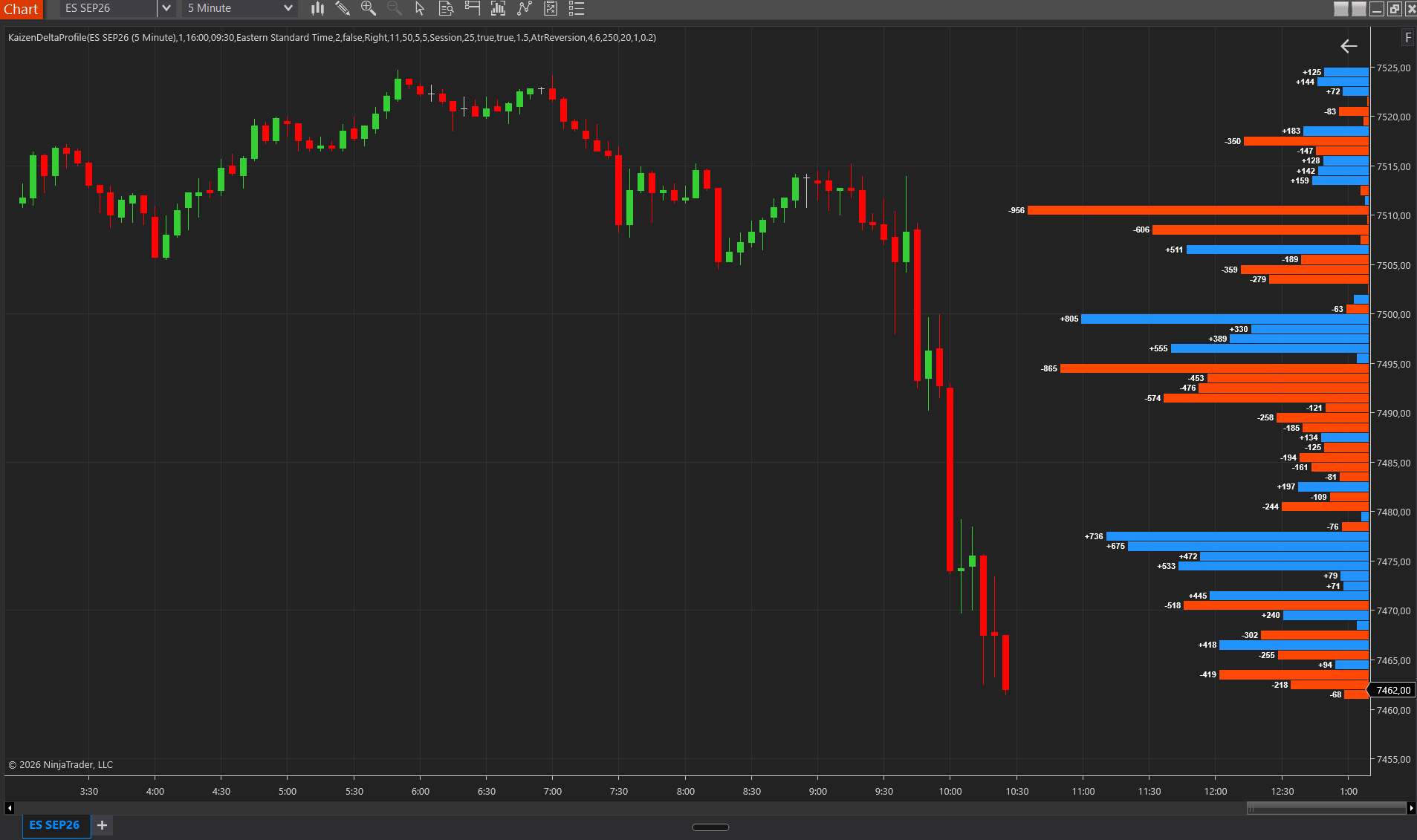
Profile modes (Profile Mode)
The Profile Mode defines which segment of the chart feeds the profile and when it resets:
- Session / Daily / Weekly — resets at the session, day or week open.
- CustomTime — a fixed time range you define (for example 09:30–16:00 ET), ignoring overnight activity. It supports Composite Days > 1: it accumulates, for example, the delta of the last 5 days within that window. From v2.3 the window is evaluated as (start, end]: the bar stamped with the start time still belongs to the previous period and drops out, and the bar stamped with the end time belongs to the window (NinjaTrader stamps bars with their closing time).
- CurrentSwing (new in v2.2) — the profile follows the live swing: it starts at the last swing extreme and runs to the current bar, flipping on a counter-move of ATR × multiplier (volatility-adaptive) or a fixed tick distance, ZigZag-style.
Main settings
- Profile Mode — the mode described above (Session / Daily / Weekly / CustomTime / CurrentSwing).
- Position — profile rendered to the left or right of the price bars.
- Composite Days — number of days to accumulate in CustomTime mode (1 = the current day only).
- Show POC — highlights the price level with the most accumulated delta.
- VA Color — color of the rows inside the profile’s Value Area.
- Delta colors — independent colors for buying (bid) and selling (ask) delta per level.
How to read it
- Positive delta stacked in a zone = buyers absorbed there; it often acts as support.
- Dominant negative delta = selling pressure; it often acts as resistance.
- A delta POC offset from the volume POC signals where the real aggression was, not just the total volume.
Requirements
For accurate history, Tick Replay must be enabled on the chart’s data series (see Installation and getting started). KaizenDeltaProfile is included in the Complete bundle.